Tech Innovista

Free innovative 3D Illustration Animation Character?

Want to unlock the true potential of your business?

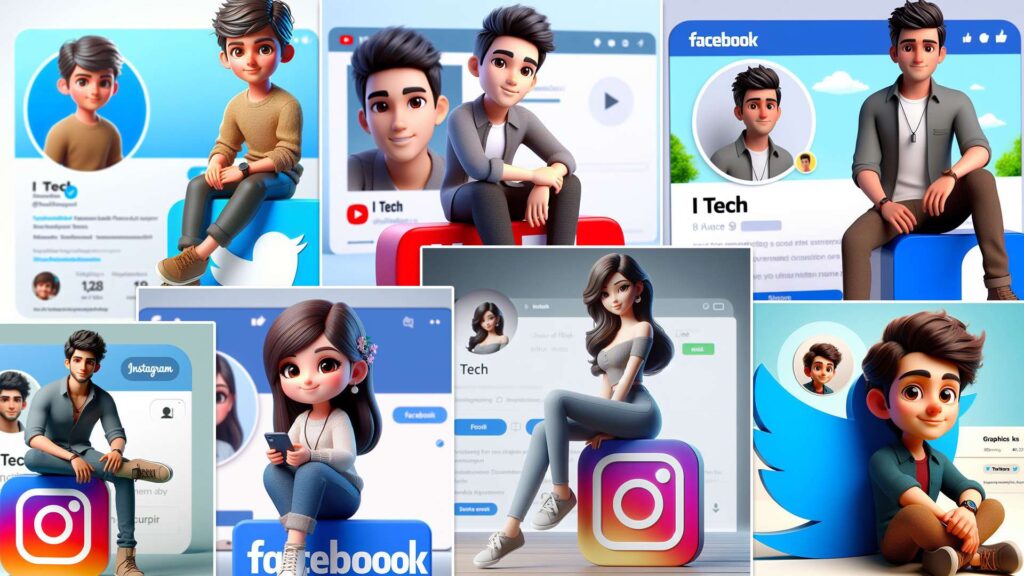
3D illustration animated characters are created using 3D animation techniques. They are based on 3D models that are designed in a digital environment with 3D modeling tools. These characters can look realistic or cartoonish and can be customized with various features and styles.

They can also have different poses, expressions, and animation effects. They are often used for entertainment, education, or business purposes, as they can appeal to and interact with the audience.

animated character illustration

How to Create a 3D Illustration Animated Character

Create a 3D illustration of an animated character using Bing Image Creator, an AI-powered tool that generates unique, customizable images from text prompts. Here are the steps you need to follow:

  1. Go to the Bing Image Creator website.
  2. Enter a prompt that describes the 3D illustration you want. Give specifics about the character, background, and social media components. For example, you can type something like this:”3D illustration, bright and playful lighting, comical animation, a funny and loving character designed for children, bringing joy and laughter. In the style of animated characters from popular children’s shows.”
  3. Click on the “Create” button and wait for Bing Image Creator to generate the 3D images. You can see the progress bar on the top right corner of the screen.
  4. Once the images are ready, you can browse through them and select the one you like.

Click the “Download” button to save the image to your device. You can also share the image on social media platforms using the icons on the bottom left corner of the screen.

Create a 3D illustration of an animated character using Bing Image Creator, an AI-powered tool that generates unique, customizable images from text prompts. Here are the steps you need to follow:

  1. Go to the Bing Image Creator website.
  2. Enter a prompt that describes the 3D illustration you want. Give specifics about the character, background, and social media components. For example, you can type something like this:”3D illustration, bright and playful lighting, comical animation, a funny and loving character designed for children, bringing joy and laughter. In the style of animated characters from popular children’s shows.”
  3. Click on the “Create” button and wait for Bing Image Creator to generate the 3D images. You can see the progress bar on the top right corner of the screen.
  4. Once the images are ready, you can browse through them and select the one you like.
  5. Click the “Download” button to save the image to your device. You can also share the image on social media platforms using the icons on the bottom left corner of the screen.

How do you write prompts to create 3D animated images using AI?

The more specific you are in your prompts, the better; think of the prompt as a detailed description of the image you have in mind. Include adjectives, nouns, and verbs to describe the image and what the subject is doing — even styles are encouraged. If you ask the AI bot to create “a photo of…,” you’ll get a different result than if you say create a cartoon, a painting, or a 3D render; so the image style is important.

Here’s how Bing’s Image Creator recommends you format your prompts: Adjective + Noun + Verb + Style

How can I Create a 3D Illustration of an Animated Character from Text?

Some different tools and platforms allow you to create 3D illustrations of animated characters from text. Some popular options include Fotor, NightCafe Creator, and Bing Image Creator.

Can I create 3D animated illustration images using Microsoft Copilot or Bing Chat?

There are two ways to use the Bing Image Creator. You can generate images by going to Bing.com/Create, as detailed above, or create images from Microsoft Copilot or Bing Chat.

Here’s how you can ask the new Bing to create an image right from the chat window, the same process works for the Microsoft Copilot AI chatbot:

  1. Open Microsoft Edge
  2. Go to Bing.com
  3. Click on Chat
  4. Write your prompt, it can begin with a phrase like “create an image” or “generate a photo”, but it’s not necessary. Bing Chat typically recognizes your intent.


What are the Limitations of Bing Image 3D Animations Illustration Creator?

Bing Image Creator is still in testing and has some limits on the files you can make or use. They can be up to 10 MB, 1080p, and 30 seconds. Only GLB 3D illustrations, animated characters, and 3D models Work.

How to use the new Bing (and how it's different from ChatGPT)

Bing Chat can create images in any conversation style, whether it’s set to Creative, Balanced, or Precise. 

One of the pros of using Bing Chat to generate images is that you can ask follow-up questions to have Bing adjust the image, as the example above shows. Bing proposes questions like, “Can you make the monkey wear a hat?” and “Change the color of the Vespa to blue”.

Share on facebook
Facebook
Share on twitter
Twitter
Share on linkedin
LinkedIn

Related Articles